
I wasn’t planning to get any of the new consoles at launch, to be honest, but I had always been more inclined towards the Wii than the PS3. Not just in terms of price, but also because the latest news about HDTV resolution and back compatibility issues were extremely disappointing.
Unknown to me, a huge box arrived in the mail on November 10th. My first reaction was “Wow, this Nintendogs lunch bag must be really big”… because that is what I was supposed to be getting for our Nintendogs promo. Boy, was I ever wrong!
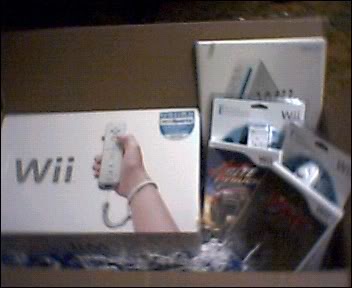
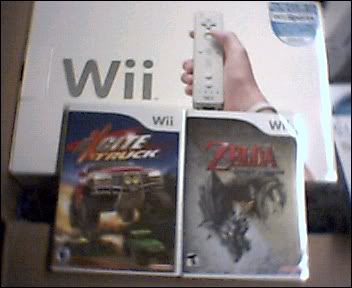
I was in tears when I opened that box, it was like opening a long lost treasure chest. Inside, comfortably laying in blue and white shredded paper was a Wii, an extra controller and nunchuck, a copy of Excite Truck and a copy of Twilight Princess, a really cool press kit with all sorts of documentation (fact sheets, press releases and a DVD) and a letter from Mr. Fils-Aime that began like this:
“Dear Fellow Gamer,
I can’t be sure… but I think I’m about to make your day.”
It didn’t just make my day, it made the rest of my year and then some!
After recovering from the shock of actually having a Wii, I started opening everything. I was really surprised with the size of the system itself. It is tiny, about the size of three DVD cases stacked on top of each other. And it seems to look even smaller standing next to our Xbox 360.

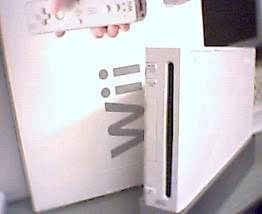
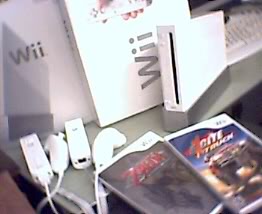
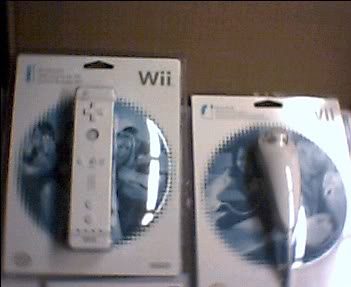
The system comes with a Wii Remote and a Nunchuck, plus the base to stand vertically. I’m not very keen on having systems standing on their side (didn’t do it with the PS2 nor the 360 because it’s known to cause disk damage) so the Wii is laying flat on the coffee table. The only time I’ve had it on its side for a while was when the system seemed to get too hot.
Also bundled with the console is Wii Sports (review here), which I had a blast with, particularly boxing and bowling.
I wasn’t sure what to expect from the controls, since it seemed like a clumsy idea to me at first. But after setting the sensor bar atop of the TV and actually trying them out, I was convinced. Both the remote and nunchuck have motion sensors, and the system registers the movements pretty well in games. However, I found myself losing the cursor in the Wii menus a lot.
The remote also has a built-in speaker and you get to hear key sounds in certain games coming from it, which is pretty cool (and at times, it makes me jump).
I find the “Wiimote” to be a very versatile controller, since you use it as a bunch of things, from steering wheel to golf club, boxing glove and even sword. And you don’t have to worry about tossing is across the room, because there’s an adjustable wrist strap to prevent that.
The system plays both GameCube and Wii discs, but unfortunately it doesn’t support DVDs. The next generation of Wiis is supposed to be a DVD player as well, so for those of you who don’t have one yet, think of this way: you’re better off waiting.
The Wii has a very convenient menu interface that connects you to the different features of the console. This is called the Wii Channel, and what it does is show a series of thumbnails for what’s available on your system.
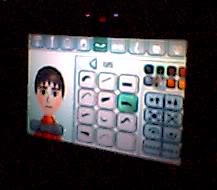 The Mii Channel is a character creation menu. You pick a head shape, skin tone, eyes, noses, mouths, hair, facial hair and glasses, even adjust height and weight to make a little virtual person. You can create yourself, your friends, your family, and then watch them all gather on screen.
Creating a Mii allows you to use it on certain games (Wii Sports, for example) and you can save them to a specific remote, so that you know that one is yours to use.
The Disc Channel is what you use to play whatever Wii or GameCube game you have in the console at the moment. The Photo Channel is a photo manipulation tool. Plug in an SD memory card and you can create jigsaw puzzles out of your photos, alter them with special effects and even music, or share them with friends on the Wii Message board. The Message Board is another channel that can function as a calendar, reminder and communication tool. You can leave notes to family members, send messages to people around the world, even cell phone users, and it’s used by the system to notify you if there are any updates for your games.
My husband ended up going out and purchasing a wireless router so we could test the online features of the console. The Forecast and News Channels aren’t working yet, and I’m not sure why. But it will be very nice and convenient once we can just turn the console on to check the news or the local weather.
On the eve of the launch, we got to browse the Virtual Console titles in the Wii Shop Channel. The Virtual Console works a bit like the Xbox Live Arcade, where you purchase points and with the points, you buy games from a library of classic titles. There are no discounts for buying higher amounts of points, so the minimum you can get is 1000 for $10, and the maximum is 5000 for $50.
I thought more would be available at launch, but only a few titles were up and ready to be downloaded. On November 21st, a couple of Turbo Grafx16 were added as well.
For the NES: Donkey Kong, Mario Bros., Pinball, Soccer, Solomon’s Key, The Legend of Zelda and Wario’s Woods, for 500 points per title.
For the SNES: F-Zero and Sim City for 800 points each.
For the N64: Super Mario 64 for 1000 points.
For the Sega Genesis: Sonic the Hedgehog and Altered Beast for 800 points each.
For the Turbo Grafx16: Bonk’s Adventure and Bomberman 93 for 600 points each.
There are many more titles to come, and if you think about it, $5 to $10 isn’t all that bad for games that you will have a hard time finding a copy of. I wish there would have been demos, since a lot of these titles date from before I started playing games, so I would like to know what I’m purchasing before I actually do.
Another interesting feature when you browse the Virtual Console, is that the game profile will tell you how you can play each game by showing a picture of the controller(s) it uses. For most you can use a GameCube controller or the new Classic for the Wii.
To get a little technical, here’s a look at the hardware:
512MB of flash memory
2 USB 2.0 ports
built-in Wi-Fi
SD memory card slot
Power PC 729MHz CPU
ATI 243MHz graphics
4 ports for GameCube controllers
2 slots for GameCube memory cards
The internet connection will be your responsibility, since you will have to get either wireless or an Ethernet card. Also, it would be wise to get some rechargeable AA batteries and a charger, the Wii remote goes through them pretty quick. The system could really use a sort of Play & Charge kit to solve this.
Overall, I am very pleased with the interactive gaming experiences that the Wii offers, although the Wii Channels and Virtual Console weren’t running at full force like I was expecting at launch. I also wish the console would support a resolution higher than 480i.
The “wiining” factor for Nintendo is how easy it is to pick up a Wiimote and play a game. You don’t need to have played games before to use it. Anyone can do it, and that’s what makes the Wii such a hit.