
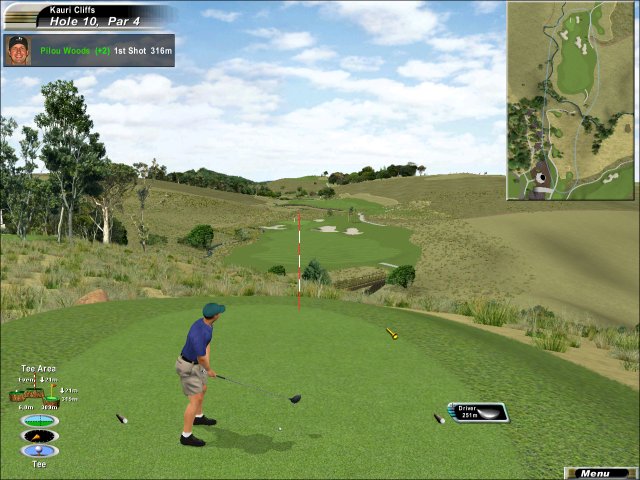
Links 2003 is the latest in the popular series of virtual golfing games by Microsoft. I confess that I’m no golf expert – the last time I touched a golf club was early in high school, and I was never very good. I do have a good amount of exposure to the game, having all the rest of my family as golf fanatics, and recently with all the press about the “grrl” of golf Annika Sörenstam, competing in the Bank of America Colonial on the PGA Tour, the first woman to play in a PGA tournament in 58 years.
Anyway, back to the game. If you are only marginally familiar with the game of golf as I am, you will still enjoy playing as long as you understand the general concepts. If you don’t know how to play golf at all, it’s still probably a good way to learn. Or, if you are a golf aficionado, there are many details and facets to the game that will please even the most technical of players – factors in the game such as reading the green, wind direction, slicing an hooking shots, club selection, and even course design using the Arnold Palmer Course Designer (included on a separate disc).
 You begin by choosing your player, which you can model after some of the more popular professional golfers (including Annika!), or there are also some stock characters. There are also voices associated with your player, which make comments that reflect how you are playing. You can also choose pants and shirt color, which are mostly solids, but if you are modeling your player after one of the pros you might have a striped shirt every now and then. The sound bytes are kind of cheesy, but I guess that’s to be expected in this kind of game!
Not only do you get to customize your player’s look, but there are also some other important attributes that will affect your game. After you pick your wardrobe, you will choose your skill level, tee position, and whether or not you want a caddy or a putting assistant. For more advanced players, you won’t get the options to use a caddy (which selects a club for you automatically) or putting assistant (which shows a suggested path between the ball on the green and the hole). There is also a breakline indicator which shows the slope of the green when you are putting.
 The next batch of options includes one of the more important and also a highly touted feature of Links 2003 – the Real Time Swing. When choosing a swing type, the game recommends that you use this Real Time Swing, and so do I, because it really gives you a better experience in playing the game. It’s also easier to use than the classic swing in my opinion. Basically you pull the mouse back and the golfer pulls back, and then you push the mouse forward to release the swing, which is also affected by the speed at which you push the mouse forward. The “PowerStroke” uses a similar concept but is more difficult to use, but more like a real golf swing (moving the mouse side to side and then clicking on the point of impact). The tutorial does a great job at explaining these concepts and walking you through one hole.
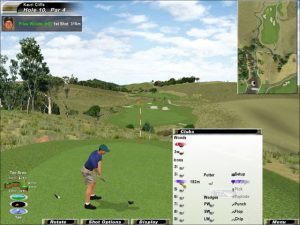
Then you choose whether to see gridlines (which show the terrain levels), and which clubs you want. The default options are usually just fine in this case and really throughout the player options, especially if you are new to the game. I recommend going through as many tutorials as you have patience, as they are extremely helpful in explaining all of the little gauges and icons on the screen as you play.
The graphics are quite nice for a golf game, even though they look more like backdrops because they almost look TOO photographic and real, since your player graphic isn’t quite as realistic as you might expect. It’s also not quite like golf since there are many ways you can “cheat” at the game with mulligans (re-doing a shot) or replays. Wouldn’t we like to be able to do that in real life!
You can play the game by yourself, compete with the computer players  (modeled after the pros), or even online against your friends. I haven’t tried playing online yet as I don’t know anyone who actually plays this game, but it seems like it would be a lot of fun. Single-player (or against computer opponents) games also include tournament play, which I don’t recommend until you play the regular or practice game enough to feel comfortable, because there are no mulligans in tournament play, and there’s an audience who applauds you as you play (though I suppose that is purely for psychological effects).
I plan on taking some golf lessons as soon as I can afford it? In the meantime I will stick with playing the greens on Links.