

Working at the Robot Factory
Contents
WORKING AT THE ROBOT FACTORY
| ROBOT FACTORY | |||||
| Job Grade | Job Title | Payout Per Robot | Shifts till Promotion | Friends Required | Logic or Mech Skill |
| 0 | Drone | $10 | 5 | 1 | 0 |
| 1 | Golem Fabricator | $15 | 15 | 2 | 1 |
| 2 | Machina Assembler | $20 | 25 | 3 | 2 |
| 3 | Robomatic Builder | $25 | 35 | ? | 3 |
| 4 | Futurebot Constructor | $25 | 45 | ? | 4 |
| 5 | Droid Designer | $30 | 55 | ? | 5 |
| 6 | Lead Buildineer | $30 | 65 | ? | 6 |
| 7 | Silicon Engineer | $35 | ? | ? | 7 |
| 8 | Data Researcher | $40 | ? | ? | 8 |
| 9 | Android Assembler | ? | ? | ? | 9 |
| 10 | Supra Genius | ? | ? | ? | 10 |
Your job grade can be affected by leaving before the shift is over or by failing to complete your job successfully.
If your skill level, number of friends and/or amount of experience decrease and are no longer enough to maintain a certain job grade, your Sim will be demoted to the highest possible level his/her conditions qualify for.
The Robot Factory shifts begin at 9am and lasts 8 Sim hours (more or less 40 minutes). Each shift is composed of several rounds of around 10 minutes each, where the players will take places along a conveyor belt and try to put a robot together.
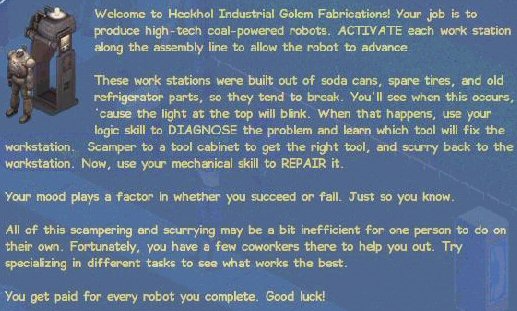
Once you arrive at the lot, the welcome message will give you an overview of what goes on in the factory and how the assembly line works.
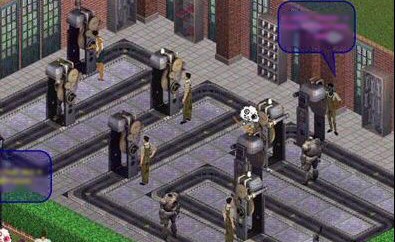
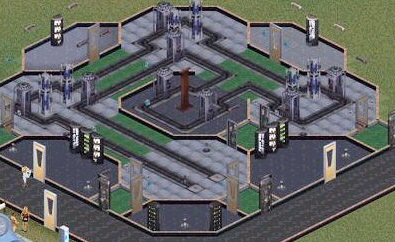
The assembly line consists of several machines connected to a conveyor belt. Each machine requires a worker to operate. Once a round starts, the first machine will “produce” some robot parts, which will then advance through the conveyor belt and on to the next machine. When those parts reach the next machine, the Sim in charge of it will activate it so the construction of the robot continues. If a “partial robot” is left standing at a workstation for too long, it will self-destruct, so you will have to make sure everything is running properly and that the workstations are activated as soon as possible.
As the rounds progress, the production speed increases.
Workstations are quite unstable, so every now and again you can count on them breaking down. When this happens, a Sim needs to repair the station right away and try to keep the robot from self-destructing. To fix a broken station, first you need to diagnose it and find out which tools are needed to fix it. Diagnoses rely on Logic skill, comparing the complexity of the machine with your Sim’s Logic level.
Once a diagnosis has been done and you know what tools are needed to repair the machine, a Sim with Mechanical skill will fetch the tools and fix the workstation, so production will return to normal. Tools can be found in the tool cabinets placed around the factory, and each cabinet holds a single type of tool. Your Sim can only carry one at a time though, so if the repair requires more than one tool, follow this process: diagnose, get first tool, repair, diagnose, get second tool, repair.
You get a little break between rounds and at the end of each round you will receive a message stating how well you have done and how much is your payout. Your payout will be given according to the number of robots completed, and you can also receive some skill points at the end of each round.
TIP 1: Have a single player in charge of diagnosis only and another solely for repairs, while the rest activate the workstations.
TIP 2: Don’t stand on the conveyor belts. Blocking the path will cause the robot to stop and begin the self-destruction process.
TIP 3: Stay clear from robots on a countdown! When one explodes, it can kill any Sim standing nearby.